Crafting a Winning Cover Letter
A well-crafted cover letter is your first introduction to a potential employer, and it’s your opportunity to make a strong impression. It’s more than just a formality; it’s a chance to showcase your personality, skills, and enthusiasm for the specific role. This guide will provide you with the necessary tools and knowledge to create a winning cover letter that captures attention and increases your chances of landing an interview. We’ll explore the essential elements, formatting techniques, and best practices for crafting a compelling cover letter using Google Docs.
Understanding the Purpose of a Cover Letter
Why Cover Letters Matter

Cover letters are crucial because they provide context to your resume. They allow you to explain why you are a suitable candidate for a particular position, highlighting your relevant experiences and skills. They also allow you to showcase your personality and writing abilities. A cover letter acts as a bridge between your resume’s summary of qualifications and your potential as a valuable employee. Without a cover letter, you may miss the opportunity to connect with the hiring manager on a personal level and distinguish yourself from other applicants. Many employers use cover letters to evaluate candidates’ communication skills, attention to detail, and genuine interest in the role.
Key Components of an Effective Cover Letter
Header and Contact Information
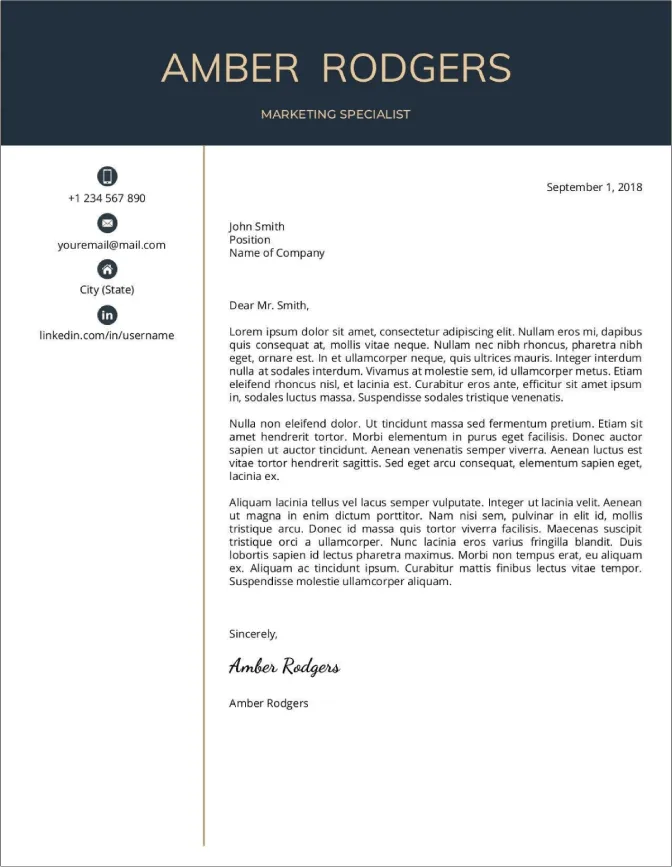
Begin your cover letter with a professional header, including your full name, contact information (phone number and email address), and the date. If you are applying for a specific position, include the hiring manager’s name and the company’s address, when possible. A well-formatted header sets a professional tone and makes it easy for the recruiter to contact you. Ensure the contact information is current and accurately reflects your preferred method of communication. Always use a professional email address and consider including a link to your LinkedIn profile in your header for added impact.
Greeting and Salutation

Address the hiring manager by name whenever possible. Research the company and the role to find the name of the hiring manager or the appropriate person to address your letter to. If you cannot find a specific name, a general greeting like ‘Dear Hiring Manager’ is acceptable, but always try to personalize your greeting. A personalized greeting shows that you’ve taken the time to research the company and demonstrate genuine interest in the opportunity. Avoid overly casual greetings and maintain a professional tone.
The Introduction Paragraph
The introduction paragraph is your first chance to grab the reader’s attention. State the position you are applying for and where you found the job posting. Briefly mention your most relevant qualifications and why you’re interested in the role and the company. Keep it concise and impactful. Your goal is to create intrigue and encourage the reader to continue reading. Highlight what excites you about the opportunity and what unique value you bring to the table. This paragraph sets the tone for the rest of your letter and should immediately capture the reader’s interest.
Body Paragraphs Highlighting Skills and Experience
The body paragraphs are the core of your cover letter, where you showcase your skills, experience, and achievements. This is the place where you demonstrate how your qualifications align with the job requirements. Provide specific examples of your accomplishments and quantify your achievements whenever possible. This helps the hiring manager see the tangible results you’ve achieved. Tailor your content to match the job description, focusing on the key skills and experiences that the employer is seeking. Use action verbs and create a narrative that illustrates your ability to perform the job duties effectively.
Tailoring Your Letter to the Job Description

Customize each cover letter to the specific job you’re applying for. Carefully review the job description and identify the key skills and qualifications the employer is looking for. Then, highlight your experiences and skills that directly align with these requirements. Explain how your past experiences have prepared you for the role and provide specific examples of how you have demonstrated these skills. By tailoring your cover letter, you demonstrate that you understand the job and are a good fit for the company’s needs. Generic cover letters often fail to impress hiring managers who are looking for candidates who take the time to understand the role and the organization.
Quantifying Achievements and Results
Use numbers and data to illustrate your achievements. Instead of saying ‘I improved sales,’ say ‘I increased sales by 15% within six months.’ Quantifiable achievements make your claims more credible and show the impact of your work. Include metrics such as percentages, dollar amounts, or other quantifiable data to support your claims. Use the STAR method (Situation, Task, Action, Result) to structure your examples. This method helps you to clearly and concisely describe your accomplishments and the results you delivered.
Expressing Enthusiasm and Fit
Show genuine enthusiasm for the position and the company. Explain why you are interested in the role and what aspects of the company or the opportunity appeal to you. Demonstrate that you’ve researched the company and understand its mission, values, and culture. Your passion for the role and the company can significantly improve your chances of getting hired. Let the hiring manager know why this role is a great fit for you, highlighting how your career goals align with the company’s objectives. Personalize your letter to reflect your genuine interest.
The Closing Paragraph and Call to Action

Formal Closing and Signature
In the closing paragraph, reiterate your interest in the position and thank the hiring manager for their time and consideration. Include a call to action by stating that you look forward to hearing from them soon. Offer your contact information again, and state that you are available for an interview at their earliest convenience. Use a professional closing, such as ‘Sincerely’ or ‘Best regards,’ followed by your typed name. If you are submitting a digital copy, you may also include a digital signature. Make sure the closing is polished and reflects your professionalism.
Formatting Your Cover Letter in Google Docs
Google Docs offers an excellent platform for creating professional cover letters. Its user-friendly interface, templates, and collaboration features make it easy to create and refine your cover letter. Using Google Docs ensures your letter is easily accessible and compatible with various devices. The formatting options, from font selection to margin adjustment, give you the tools you need to make your cover letter visually appealing and easy to read. Google Docs also allows you to share your document for feedback and easily track revisions.
Choosing the Right Template

Accessing and Selecting a Template
Google Docs provides a variety of cover letter templates. To access them, open Google Docs and click on ‘Template gallery.’ Look for the ‘Letters’ section. Browse the templates available and choose one that best suits your needs and the industry you are applying to. Consider the overall aesthetic and whether it complements your personal brand and the company’s culture. Don’t be afraid to experiment with different templates. Select a template that is professional and aligns with your personal preferences and the requirements of the job you’re applying for.
Customizing the Template
Personalizing the Content
Once you’ve chosen a template, personalize it with your information. Replace the placeholder text with your details, including your name, contact information, and the recipient’s details. Make sure to tailor the content to the specific job you’re applying for, highlighting relevant skills and experience. Carefully review all the pre-written content in the template and replace it with information that reflects your personal story. Add or remove sections as necessary to fit your qualifications and the job requirements. Ensure every detail is accurate and reflects your brand.
Formatting Tips for Readability
Font Selection and Size
Choose a professional and easy-to-read font, such as Arial, Calibri, or Times New Roman. Maintain a consistent font throughout the document. The font size should be between 10 and 12 points to ensure readability. Avoid using overly decorative or difficult-to-read fonts. Proper font selection enhances the visual appeal and makes your cover letter more accessible to the hiring manager.
Line Spacing and Margins
Use single or 1.15 line spacing and standard 1-inch margins. Proper line spacing and margins create white space, which makes your cover letter easier to read and visually appealing. Avoid crowding the text. Adequate spacing enhances readability, making a positive impression on the hiring manager. Adjust the margins to create a balanced layout.
Proofreading and Editing Your Cover Letter
Proofreading and editing are critical steps in ensuring your cover letter is free of errors and conveys a professional image. Take the time to review your cover letter carefully and seek feedback from others. A well-edited cover letter demonstrates attention to detail and professionalism, increasing your chances of making a positive impression.
Common Mistakes to Avoid
Avoid common mistakes, such as typos, grammatical errors, and generic language. Ensure your cover letter is tailored to the specific job description and avoids simply repeating information from your resume. Do not include irrelevant information and always keep your cover letter concise. Poorly written cover letters can damage your chances of getting an interview, so take the time to proofread your work thoroughly. Make sure you are not using overly casual language. Avoid using slang or colloquialisms.
Spelling and Grammar Checks
Use Google Docs’ built-in spell checker and grammar checker to identify and correct errors. But don’t rely solely on these tools; always review your cover letter manually. Proofread your cover letter multiple times. Even the best software can miss errors. Pay attention to punctuation, sentence structure, and word choice. Proofreading helps you present yourself professionally.
Seeking Feedback
Ask a friend, family member, or career counselor to review your cover letter. They can provide valuable feedback on clarity, grammar, and overall effectiveness. Get a fresh perspective on your cover letter. Another set of eyes can often catch mistakes you might have missed. Take their feedback seriously and make revisions as needed. Seeking feedback from others can significantly improve your cover letter’s impact.
In conclusion, crafting a winning cover letter is a vital step in your job application process. By following these guidelines and using Google Docs templates, you can create a compelling cover letter that highlights your strengths, matches the job requirements, and effectively communicates your interest in the role. Always remember to personalize your cover letter and proofread it thoroughly before submitting your application. This attention to detail makes a powerful statement and gives you an edge over the competition.